
The all-in-one app testing, distribution and download platform
Upload your package, and a dedicated download page and QR code are generated automatically so users can install in one tap. Multi-platform distribution, version management and download analytics included.
What is Meteor?
Meteor is a self-serve app testing and distribution platform. Mobile teams upload a build and receive a branded download page with a QR code, then share one link or code instead of mailing packages around. It handles Android APK distribution, multi-store smart routing, and links for iOS, HarmonyOS and enterprise installs.
It is built for the stages around the app store: internal QA, staged rollouts, enterprise in-house apps, and reaching Android users across fragmented stores. Version management and download analytics are built in, so you can see how each release is doing and keep testers on the right build.
Use cases
Whatever your distribution needs, we've got you covered
Beta distribution
Dev teams deliver test builds to testers fast — scan to install, no manual setup
Staged rollout
Release new features by version and channel in phases, fully in control of pace and reach
Enterprise apps
Manage, distribute and control access to in-house apps in one private app catalog
Multi-channel distribution
One link covers every Android app store, smart-routing users to the right marketplace
Core features
Covering the entire app distribution workflow
One-click upload
Drag or select a package to upload; app info is parsed automatically
Multi-platform distribution
Supports Android, iOS, HarmonyOS and major app stores
Version management
Full version history with publish/unpublish and history downloads
Download analytics
Real-time page views and download counts to track performance
QR distribution
Scan to install, with direct redirects to app stores
Access control
Manage apps from the dashboard and control visibility flexibly
Product showcase
See the real interface — what you see is what you get
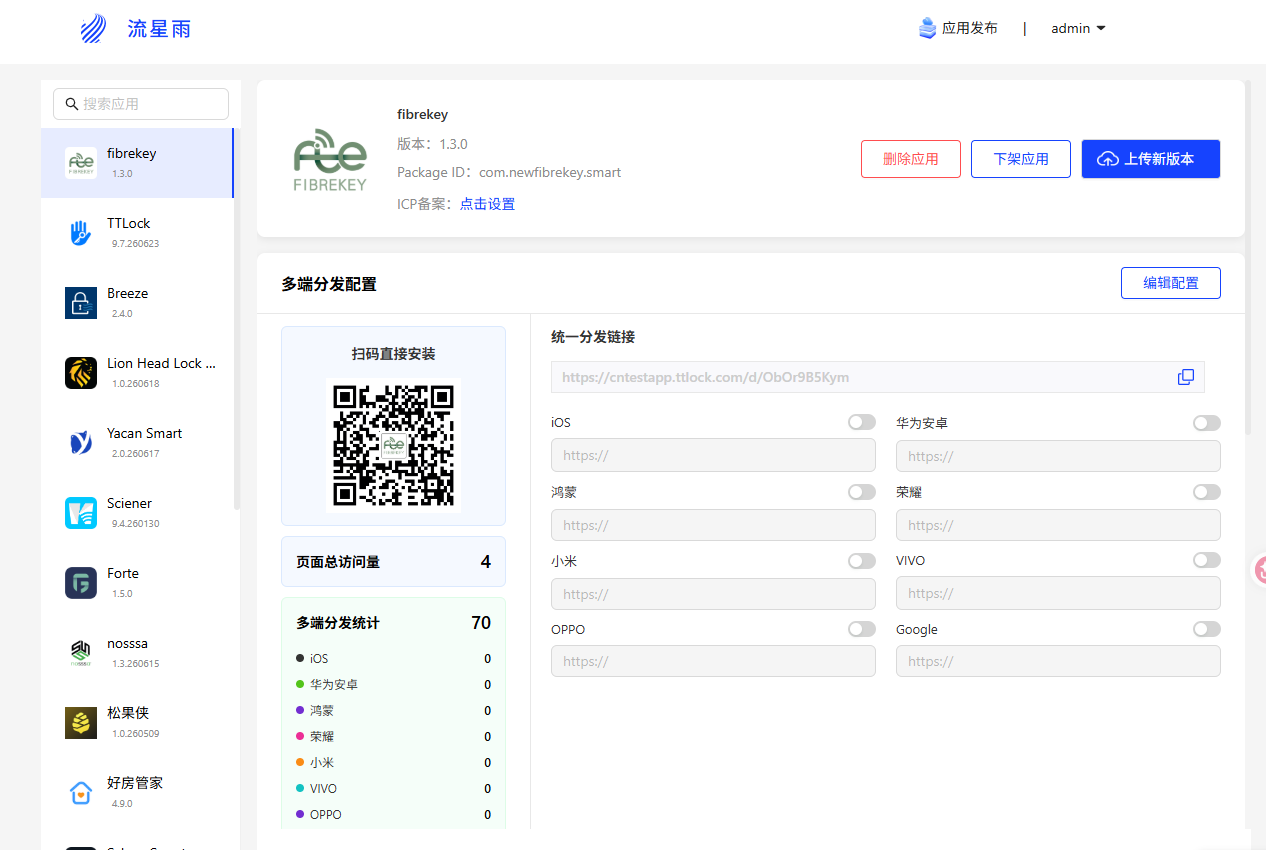
Admin console
Upload apps, manage versions and permissions in one place after signing in.
- Drag-and-drop or select a package to upload
- Publish, unpublish and manage past versions
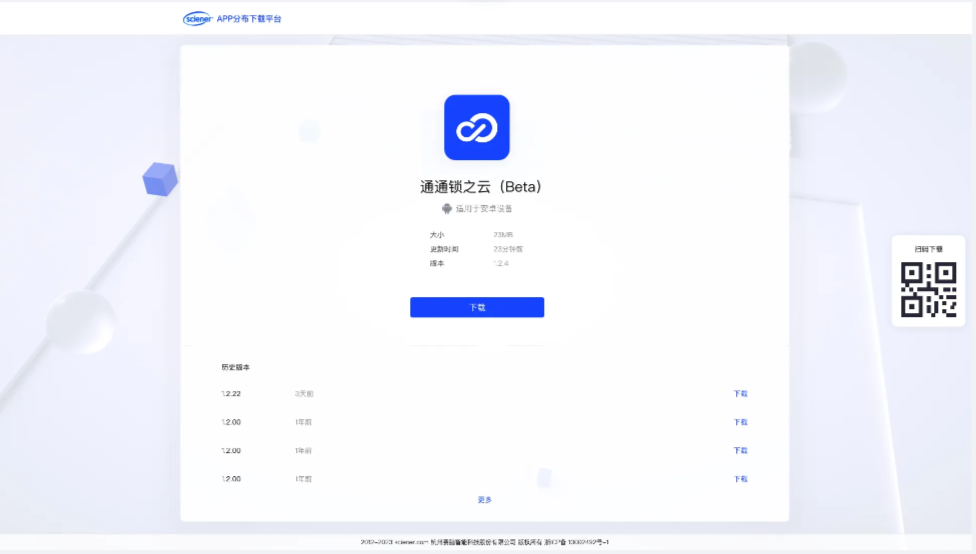
Branded download page
An auto-generated download page with a QR code — scan or open the link to install.
- Scan the QR code to install instantly
- Multi-platform distribution and store redirects
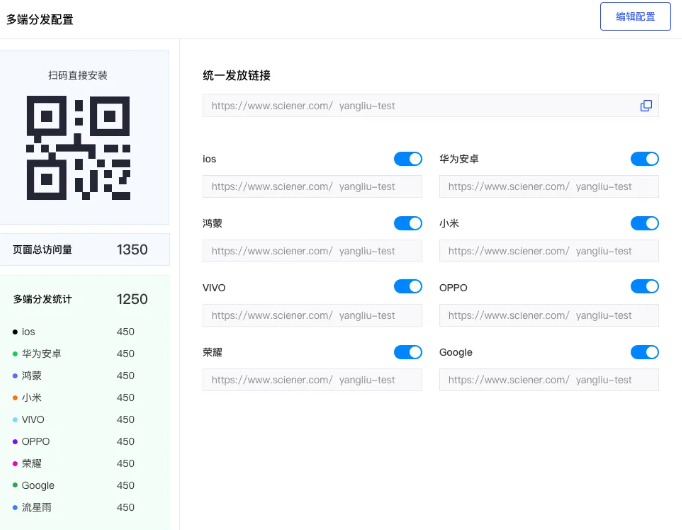
Download analytics
Real-time page views and downloads, with multi-platform breakdown at a glance.
- Page view and download counts
- Multi-platform distribution metrics
Get started in three steps
A simple workflow you can pick up instantly
Upload your app
Sign in to the dashboard and upload your package
Generate a download page
A dedicated page and QR code are generated automatically
Scan to install
Users install by scanning the QR code or opening the link